 PersonaChat
How to Create Your Own AI Character (Step by Step)
Chatting with someone else's character is renting. Creating your own is owning. Here's what separates a character that comes alive from one that gives generic answers, and exactly how to build one in PersonaChat's Character Workshop.
What makes an AI character actually work
An AI character is a set of instructions the model performs. Vague instructions get vague performances. Four ingredients do most of the work:
- A specific personality. "Kind but blunt, laughs at her own jokes, hates being thanked" beats "friendly and helpful" every time.
- A backstory with weight. Give them one formative event, one person they miss, and one thing they'd never admit. Secrets create subtext.
- A want. Characters who want something drive scenes forward instead of waiting for your next message.
- A voice. Do they speak in clipped sentences? Old-fashioned formality? Sailor's slang? Write a line of example dialogue in their voice.
Building the character in PersonaChat
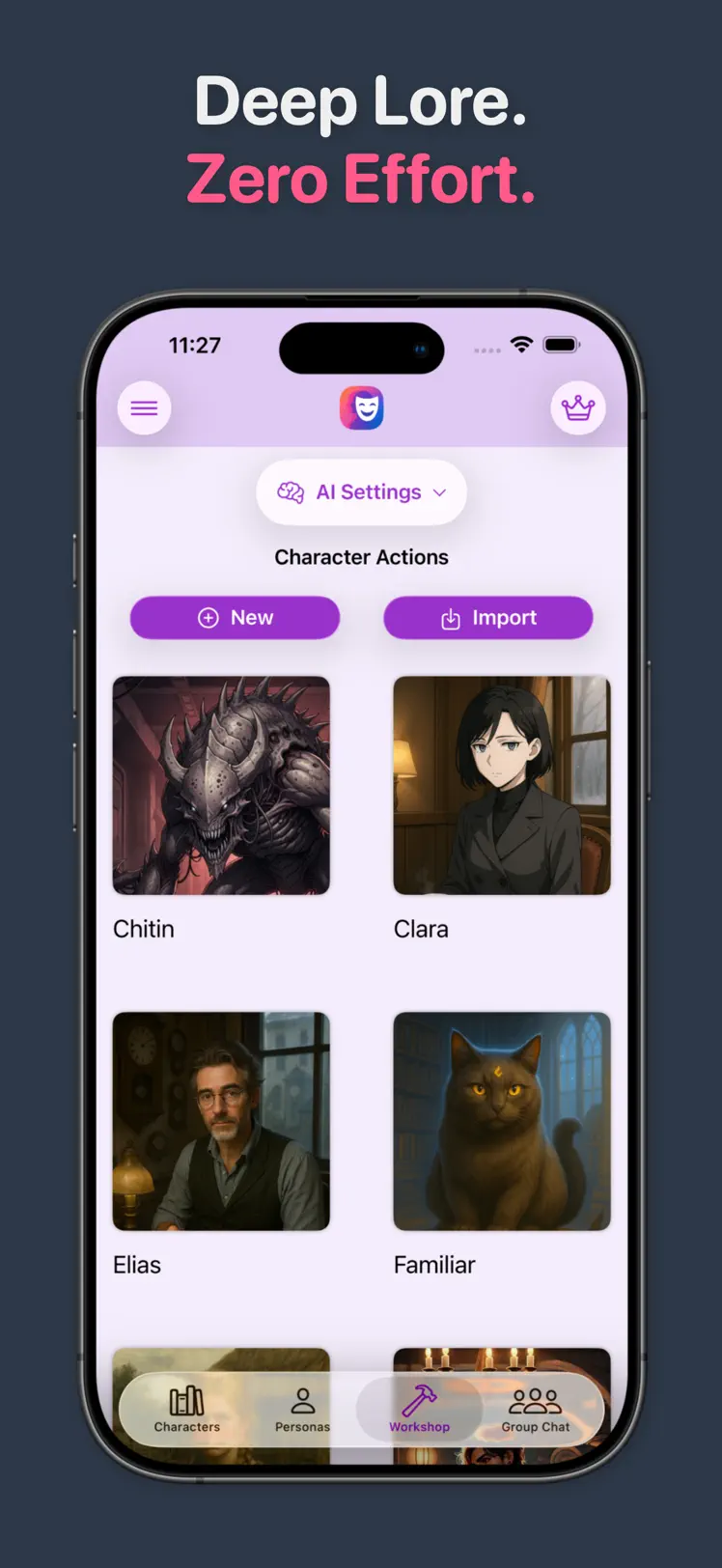
- Open the Workshop tab and tap New. This is the same tool the built-in cast was made with.
- Define personality and traits. Be concrete. List quirks, moods, and contradictions. Contradictions are what make characters feel human.
- Write the backstory. Where they come from, what shaped them, what they're hiding. The character draws on this constantly, even when it never comes up directly.
- Set the scenario. Where does the story open? Give the first scene a situation with stakes: a stranger at the door, a ship taking on water, a letter that shouldn't exist.
- Choose the conversation style. Terse or florid, playful or grave: this controls how every reply is performed.
- Save and run a test scene. Chat for ten minutes. Where the character drifts from your intent, go back and sharpen the trait that should have caught it.
Beyond your first character
Cast them in group scenes. Characters you build can join group chats alongside built-ins or other creations, a fast way to find out whether their voice holds up under pressure.
Import instead of starting blank. If you already have characters from elsewhere, the Workshop's Import option brings them in, and you can keep editing them from there.
Share, or don't. You can share creations with the PersonaChat community, but nothing is shared by default. Your created and imported characters stay private on your device.
Quick answers
How do I make my own AI character for free?
Download PersonaChat free, open the Character Workshop, tap New, and fill in personality, backstory, scenario, and conversation style. Your character is ready to chat as soon as you save.
Can my custom character chat with other characters?
Yes. Any character you create can join group chats, where the cast responds to you and to each other.
Are my created characters visible to anyone else?
No, not unless you choose to share them. Created and imported characters stay private on your device.
Open the Workshop
Download PersonaChat free and build a character with a real voice tonight.
4.5 on the App Store · Free · iOS 17+