 PersonaChat
AI Group Chat: Roleplay with Multiple Characters at Once
A group scene lets several characters react to you and to each other. Here's how multi-character AI roleplay works, why it's harder than one-on-one chat, and how to run your first ensemble scene in PersonaChat.
PersonaChat is an app for iPhone and iPad, and its group chats are free on every plan, including the free one.
Last updated: 14 November 2026.
Why group AI chat is hard
Getting several AI characters into one scene is hard. Someone has to decide who speaks next, and if every character answers every message, you get noise instead of drama. Long ensemble scenes also burn through context fast, so without careful memory management the cast forgets the plot just as it thickens.
PersonaChat handles both. Smart routing reads the context and picks which character responds: address the medic and the medic answers; drop a bombshell and the character with the most at stake reacts. Characters also chime in on each other, disagreeing, interrupting, and forming alliances. And built-in summarization compresses the scene history automatically so the story keeps running.
Try the included scenario first
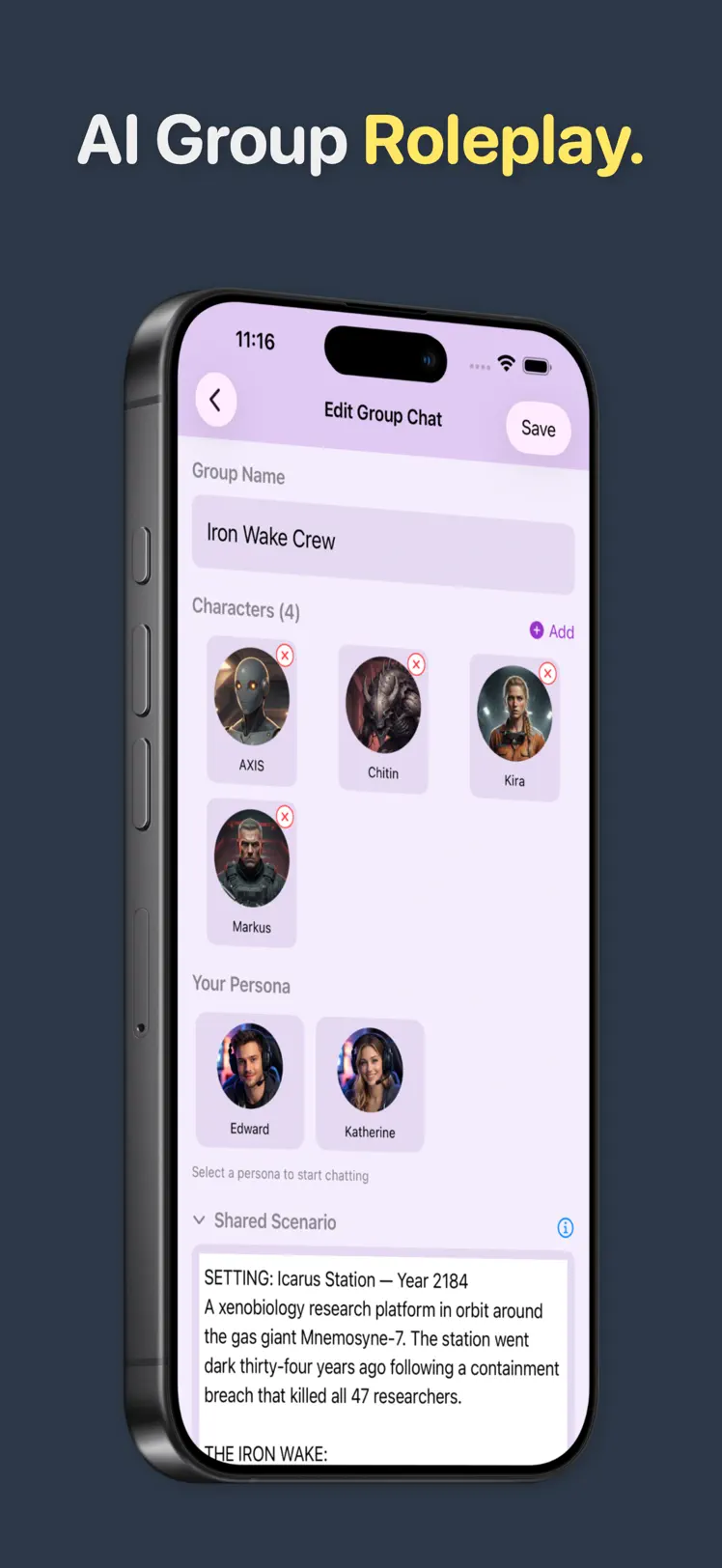
PersonaChat ships with Iron Wake Crew, a sci-fi survival scenario set on Icarus Station, a research platform that went dark thirty-four years ago. The group has four AI characters: your crewmates Kira, Markus and AXIS, an android, plus Chitin, the hostile thing waiting on the station. Playing it shows how a routed ensemble scene differs from four separate chats.
Build your own group scene
- Open the Group Chat tab and create a new group.
- Name the group after the story, not the members: "The Heist", "Winter Court", "Last Shift at the Diner".
- Add your cast. Mix built-in characters with your own creations or imported character cards (JSON cards only, so a PNG card won't import). Three or four characters is the sweet spot for a first scene.
- Pick your persona: who you are in this story.
- Write the shared scenario. This is the scene's contract: setting, situation, and what's at stake. Every character plays against it.
- Open the scene with something that demands a reaction, and let the routing do its work.
Need a scenario for a full cast? Our roleplay ideas include a set for three or more characters.
Directing an ensemble
- Cast for friction. A group of agreeable characters agrees. Give them clashing goals and they'll push the scene forward on their own.
- Address characters by name when you want a specific voice: routing follows your lead.
- Let them have it out. Let two characters argue, and step in when it serves your story.
- Use the ⋯ menu on a character's message to edit, rephrase, or delete it; the scene's memory follows your corrections.
- Go long. Group chats have a "Long" reply option when you want scene-setting prose instead of quick banter.
Quick answers
Can AI characters in a group chat talk to each other?
Yes. In PersonaChat's group chats, characters respond to each other as well as to you: they argue, agree, and chime in when the context calls for it.
How many AI characters can be in one scene?
The included Iron Wake Crew scenario runs four characters plus your persona, and you can build your own groups from any mix of built-in, created, and imported characters.
Do long group chats fall apart?
PersonaChat runs background summarization that keeps a running recap of the story, so the cast stays consistent as it grows. How the memory works.
Is AI group chat free in PersonaChat?
Yes. Group chats are free on every plan, including the free one. The free plan shows an ad every few messages, and in the US, UK, Canada, Australia and most of the EU it has no daily message limit.
Assemble your cast
Download PersonaChat free and board Icarus Station with the Iron Wake Crew tonight.

4.4 on the App Store · Free · iOS 17+