 PersonaChat
Use Any AI Model on iPhone with OpenRouter (Bring Your Own Key)
One API key, hundreds of models, and you pay wholesale instead of a bundled subscription. Here's how bring-your-own-key works and how to set up OpenRouter in PersonaChat.
What OpenRouter is, in one paragraph
OpenRouter is a routing service that puts hundreds of AI models behind a single API key with pay-as-you-go pricing. Instead of a separate account for every AI provider, you hold one key and one balance, and point compatible apps at it.
Why roleplayers care about model choice
Models have personalities of their own. Some write lush, novelistic prose; some are sharp and economical; some handle ensemble scenes or long context better than others. When the model is locked, your stories all sound like that model. When you bring your own key, you can cast the narrator the way you cast a character, and switch when the story calls for it.
There's also the money. Subscription apps price for heavy users. With BYOK you pay OpenRouter directly for exactly the tokens you use; light users often spend pocket change per month.
How PersonaChat handles your key
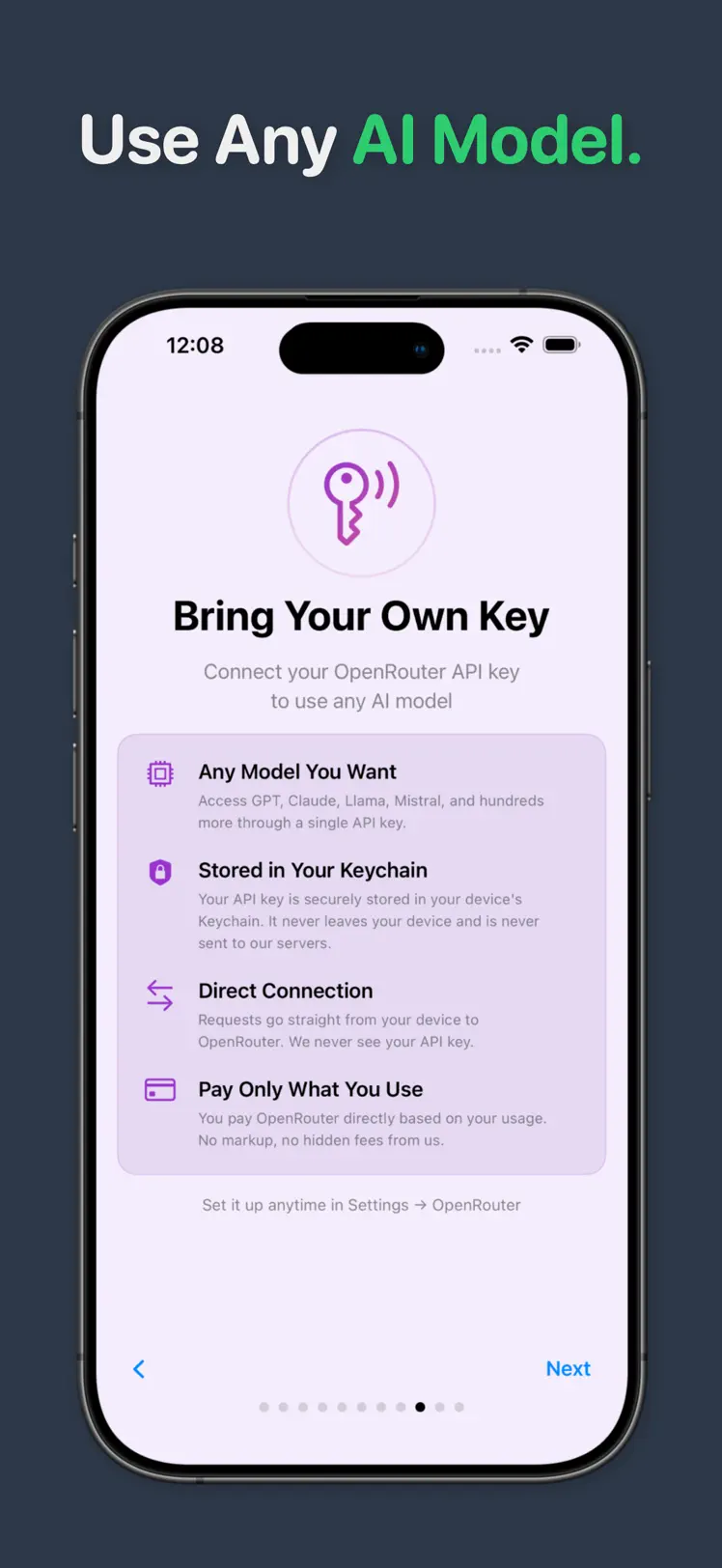
- Stored in your Keychain. The key lives in your device's iOS Keychain. It never leaves your device and is never sent to PersonaChat's servers.
- Direct connection. Requests go straight from your iPhone to OpenRouter. PersonaChat never sees your key or sits in the middle of your traffic.
- No markup. You pay OpenRouter for usage. PersonaChat adds no fees on top.
- Completely optional. The app works out of the box with built-in models. BYOK is there when you want more.
Set it up in five minutes
- Create an OpenRouter account at openrouter.ai and add a few dollars of credit.
- Generate an API key from your OpenRouter dashboard.
- Download PersonaChat free from the App Store if you haven't already.
- Open Settings → OpenRouter in the app and paste your key. It's stored in the Keychain immediately.
- Pick a model and chat. Try the same scene on two different models; the difference in narration is the fastest lesson in why BYOK matters.
Quick answers
Is there an iOS app that works with OpenRouter?
Yes. PersonaChat connects to your OpenRouter API key so you can chat with hundreds of models available through OpenRouter in AI character roleplay on iPhone and iPad.
Is my OpenRouter API key safe in PersonaChat?
The key is stored in your device's iOS Keychain, never leaves your device, and is never sent to PersonaChat's servers. Requests go directly from your phone to OpenRouter.
Do I need an API key to use PersonaChat?
No. PersonaChat works out of the box with built-in models. Bringing your own OpenRouter key is optional and adds model choice with no markup.
Your key, your models
Download PersonaChat free. It works out of the box with built-in models and takes your OpenRouter key whenever you're ready.
4.5 on the App Store · Free · iOS 17+